 Pivotly
Long lists in.Clean tables out.
Pivotly reshapes CSV, Excel and LibreOffice files: key/value rows become columns, and back again. Even with millions of rows, entirely on your computer.
14 days free · Works offline · One-time payment
Everything a messy export needs
Built for millions of rows
Files are read in chunks and processed in the background. The window stays responsive and you can cancel at any time.
A wizard with live preview
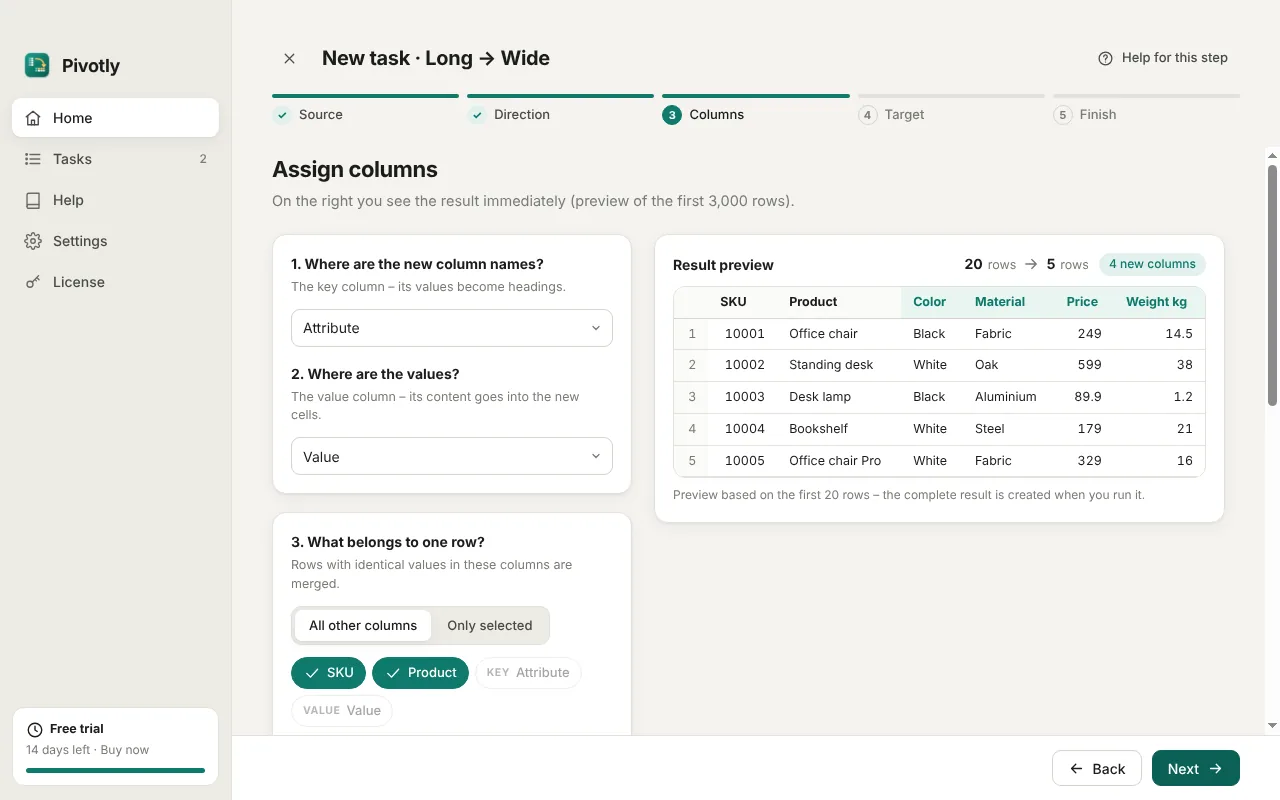
Five clear steps. You see the result before you save, with row counts that show at once whether the grouping is right.
Save once, repeat forever
Tasks remember column names, not positions. Next month's export is converted with one click.
CSV, Excel and LibreOffice
Separator, encoding and decimal format are detected automatically. Results beyond Excel's row limit are split across sheets.
Clear rules for duplicates
First value, last value, join, separate columns, sum or count. You decide what happens when a key appears twice.
Private by design
No cloud, no upload, no account. Works offline, in light or dark mode, in 7 languages.
Your data never leaves your computer.
Pivotly is a real desktop app, not a website in disguise. Every file is opened, converted and saved on your own device.
No cloud, no upload
Your spreadsheets are never sent anywhere. There is no server that could see, store or lose your data.
Works without internet
Convert files on a train, on a plane or inside a closed company network. Pivotly does not need a connection to work.
No account, no tracking
No sign-up and no analytics in the app. You buy a license key, and that's it.
Made for sensitive data
Customer lists, prices, payroll or health data stay confidential. No third party processes your files, which keeps GDPR simple.
The internet is only needed once, to activate your license key. After that, Pivotly works offline for up to 60 days at a time and only sends the license key and a device name.
Three steps to a clean table
Open your file
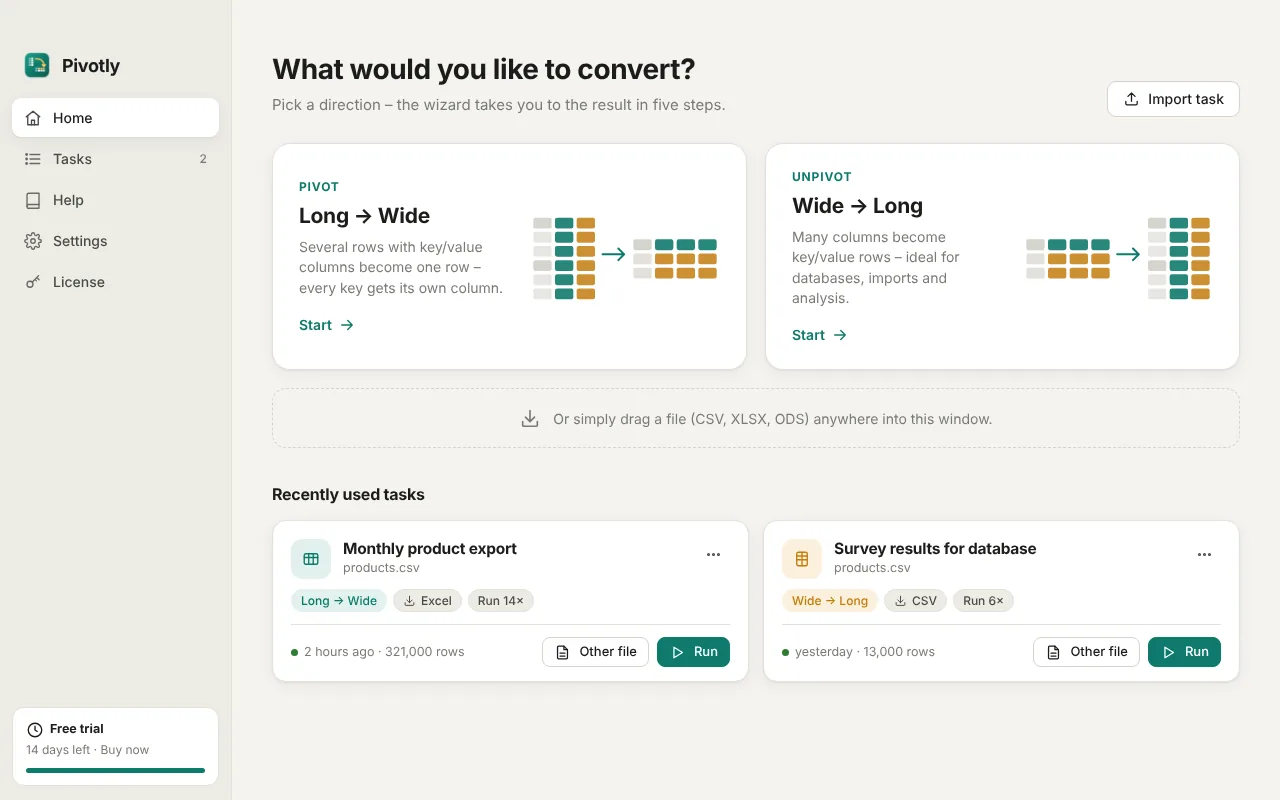
Drag a CSV, XLSX or ODS file into the window. Pivotly shows a preview and detects the format.
Assign the columns
Pick the key column and the value column. The live preview shows the result as you click.
Save and repeat
Choose format and folder, then save the conversion as a task to run it again next time.
See it in action
Made for everyday data chores
Shop and ERP exports
Product attributes stored as rows become one column per attribute, ready for your shop import.
Surveys and forms
Question/answer pairs become one row per respondent, ready for analysis.
Reports and BI
Wide month columns become long rows for Power BI, Tableau or a database.
Data migration
Move data between systems that store the same information in different shapes.
One price. No subscription.
Try every feature for 14 days. If Pivotly saves you time, buy it once and keep it.
- Use on 2 computers
- Windows 10 and 11
- Unlimited file size and saved tasks
- All updates for version 1.0
- Email support
Secure checkout via Lemon Squeezy. Taxes are calculated at checkout.
Questions and answers
What does “pivot” mean?
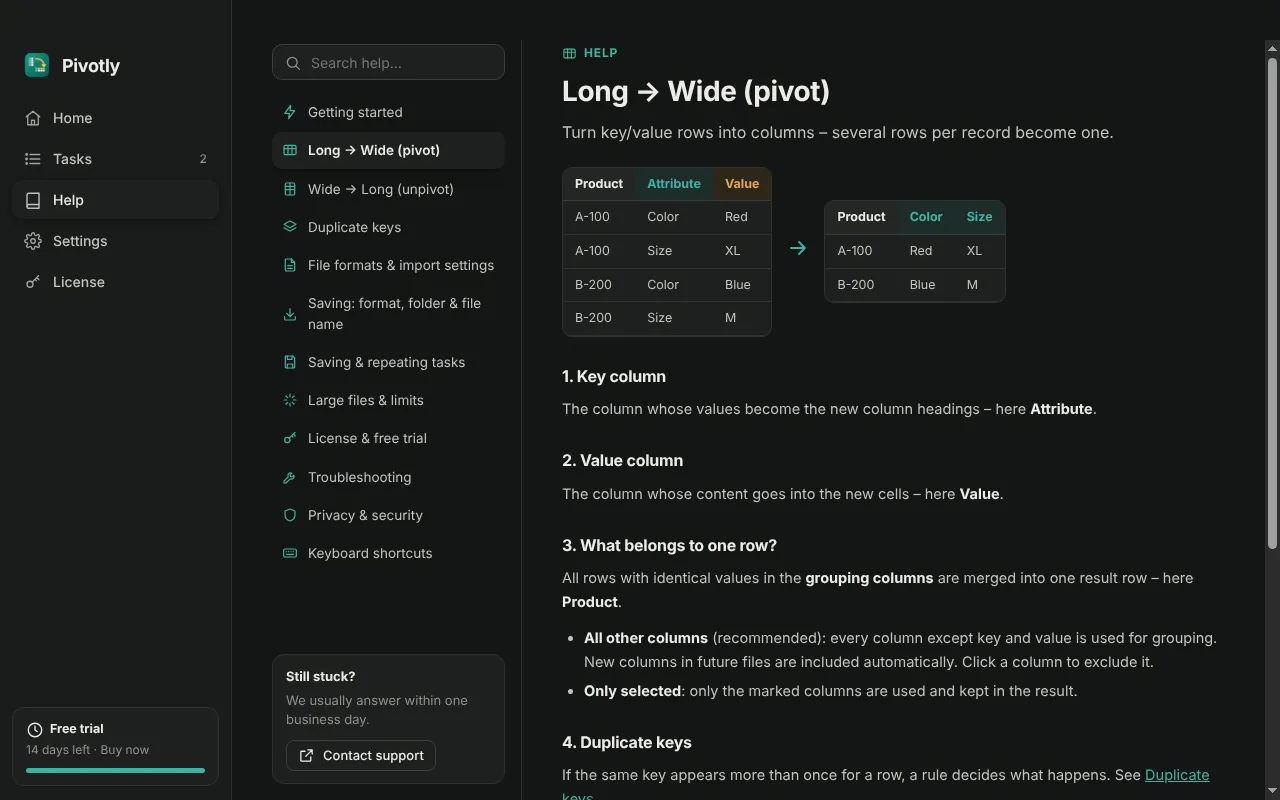
Pivoting turns rows into columns. If your file stores one attribute per row (product, attribute, value), Pivotly creates one row per product with one column per attribute. Unpivoting does the opposite.
Do I need Excel?
No. Pivotly reads and writes CSV, XLSX and ODS on its own. The results open in Excel, LibreOffice, Numbers and Google Sheets.
How large can my files be?
There is no fixed limit. Pivotly processes files in chunks; two million rows take about five seconds on a normal laptop. Excel and ODS allow 1,048,576 rows per sheet, so larger results are split across sheets automatically, and CSV has no limit at all.
Is my data uploaded anywhere?
No. All files are converted locally. Pivotly only goes online to check your license key.
What happens after the trial?
After 14 days you can still open Pivotly and edit your tasks. To run conversions, activate a license key. Your saved tasks are kept.
Can I move my license to a new computer?
Yes. Deactivate it on the old computer under License, then activate the key on the new one. One license can be active on 2 computers at the same time.
Ready for your next export?
Download Pivotly and try it free for 14 days.